
Download upday – Free News & Weather App, Personalized Updates, Real-Time Alerts, Breaking News, Android
Overview
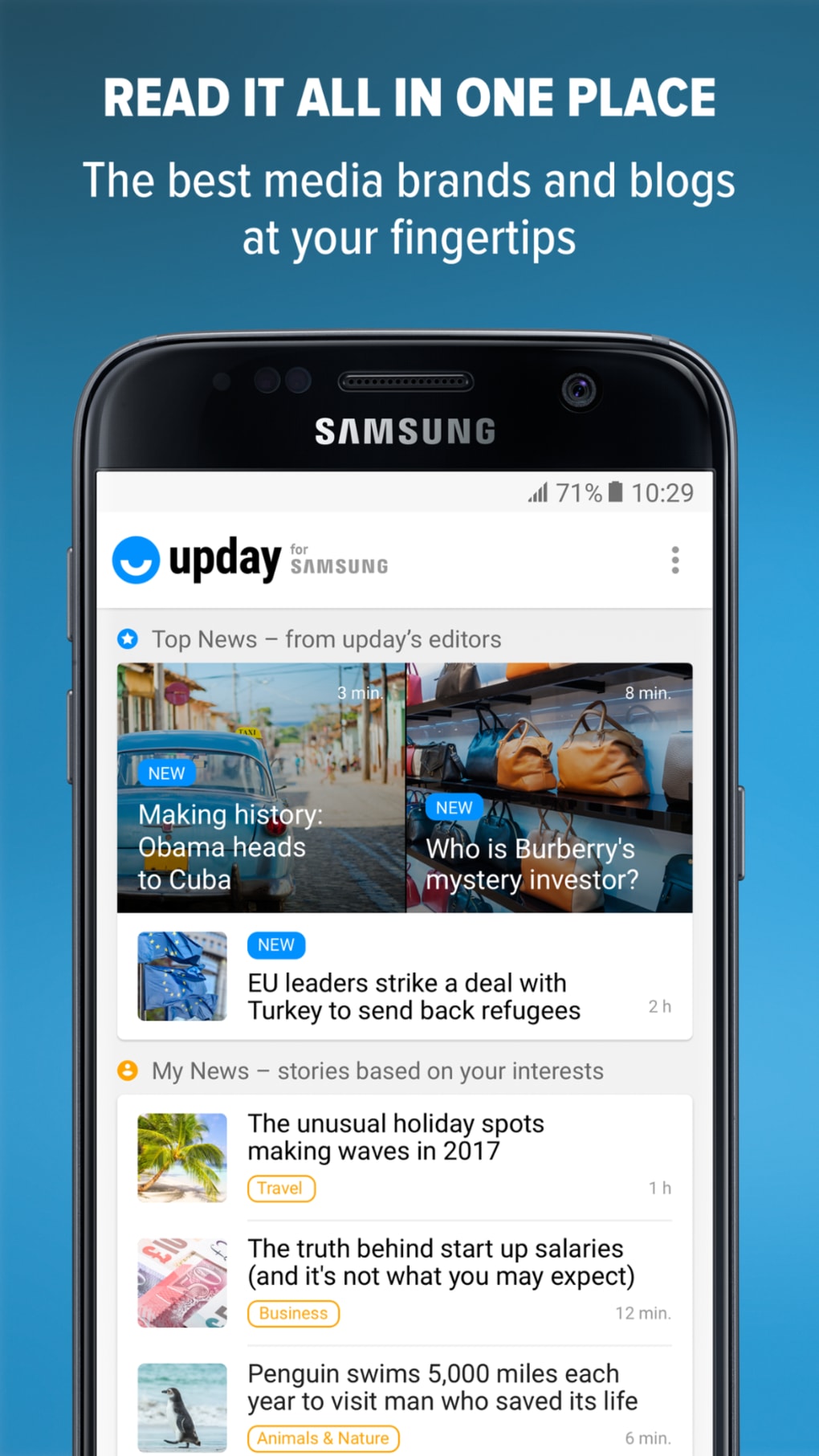
upday is a free Android application designed to deliver personalized news content in a modern, visually appealing format. The software aims to simplify how users stay informed in fast-paced daily life by curating relevant headlines based on individual interests. It is intended for individuals who want to keep up with breaking news, trending topics on social media, and international developments without spending excessive time scanning multiple sources.
By focusing on clarity and design, upday presents news in an easy-to-understand format, helping users quickly grasp key information. The app supports content in multiple languages, allowing users to access news in their preferred language. It also tracks developments both within the UK and globally, making it suitable for users with international interests.
Developed by upday GmbH Co. KG, the app leverages advanced algorithms—referred to playfully as “rocket science and a hint of magic”—to gather and organize news tailored to each user’s preferences. While specific technical details about the data sources or curation process are not provided, the app’s core function is to act as a personal news assistant, reducing information overload.
Real-world usage scenarios include morning briefings, commute updates, and evening news summaries. The app is ideal for busy professionals, students, and general users seeking a streamlined way to stay informed without distractions.
Key Features & Capabilities
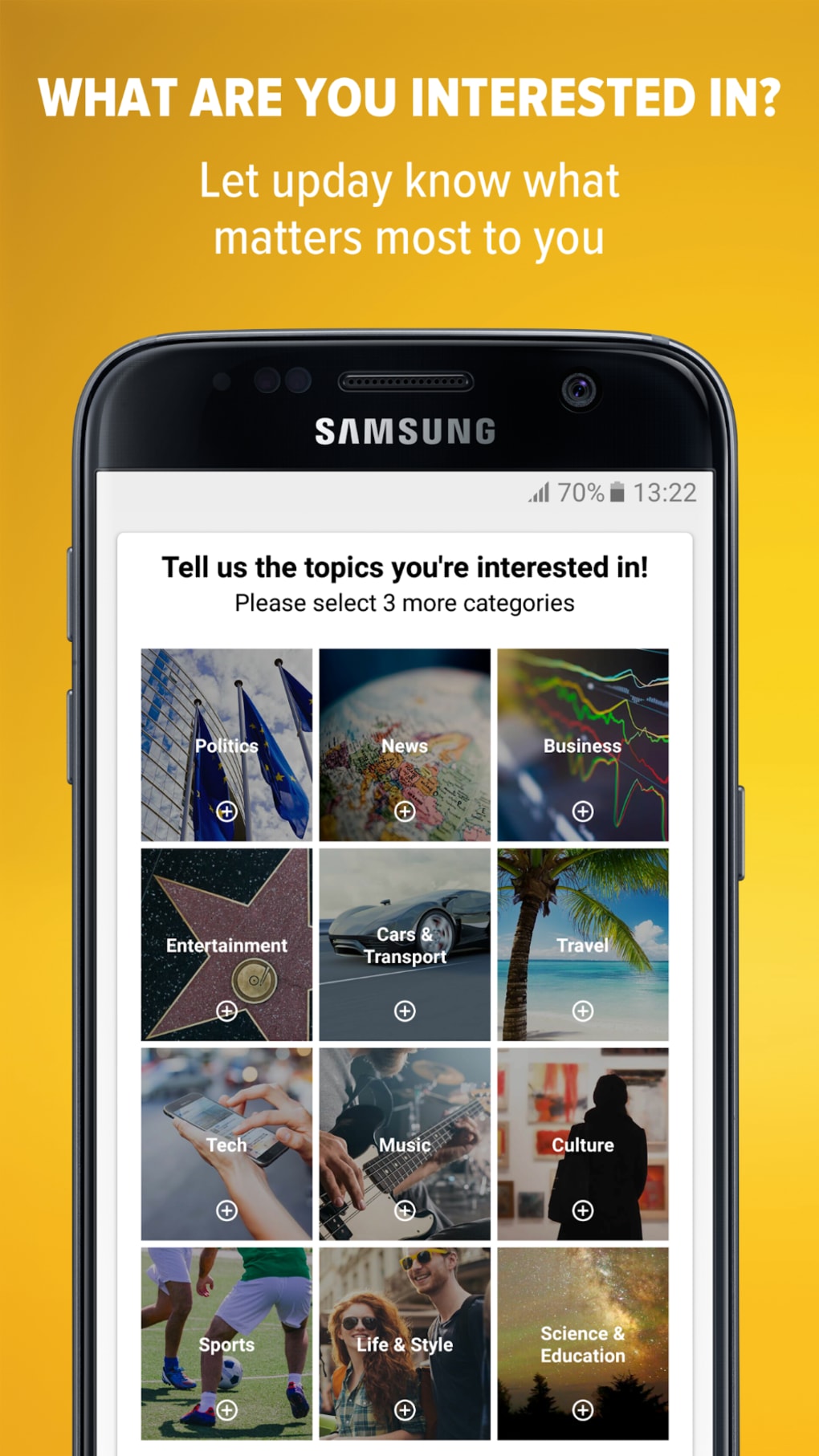
- Personalized News Feed – upday uses user preferences to deliver a customized stream of news, ensuring relevance and reducing noise from irrelevant topics.
- Multi-Language Support – Users can access news in their preferred language, enhancing accessibility for diverse audiences.
- Social Media Trend Integration – The app monitors trending content across platforms like Twitter, Facebook, and Instagram to highlight what’s gaining traction in real time.
- Global and Regional Coverage – Offers updates on both international events and developments specific to the UK, catering to users with local and global interests.
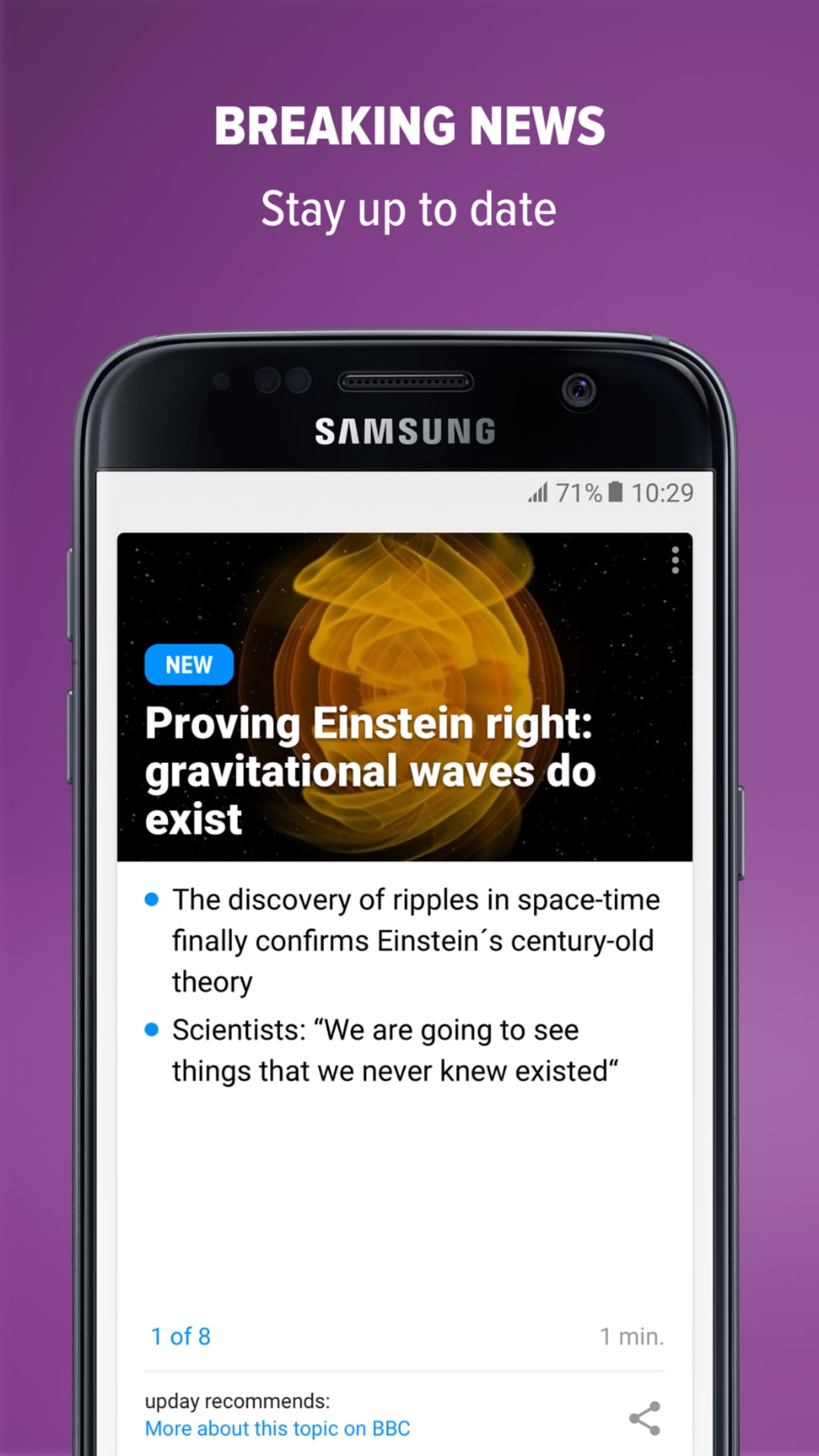
- Breaking News Alerts – Provides timely notifications for urgent or high-impact stories, ensuring users are informed as events unfold.
- Easy-to-Read Format – Content is structured for clarity, using concise summaries and visual cues to improve comprehension and readability.
These features are particularly useful for users who want to stay updated without dedicating hours to browsing news websites. For example, a commuter can quickly scan headlines during a train ride, while a student researching current events can access reliable summaries in their native language. The integration of social media trends helps users understand public sentiment and viral topics, adding context beyond traditional reporting.
User Interface, Workflow & Performance
upday features a clean, modern interface that emphasizes visual hierarchy and intuitive navigation. The layout is optimized for mobile use, with swipe gestures and tab-based access to different content categories. Users can easily scroll through headlines, tap to read full articles, and adjust preferences through a centralized settings menu.
Navigation is straightforward, with minimal friction between content discovery and consumption. The workflow is designed to minimize user effort—once the app is launched, news is immediately available without lengthy setup steps. Personalization settings allow users to select topics of interest, which helps refine the feed over time.
Performance details were not specified by the developer. However, based on the app’s size of 20.5 MB and its focus on content delivery, it is expected to operate efficiently on modern Android devices. The developer did not provide information on CPU or RAM usage, nor on background activity or battery impact. General software behavior suggests that the app should maintain stability during regular use, but real-world performance may vary depending on device capabilities and network conditions.
Compatibility & System Requirements
upday is designed exclusively for Android devices. The current version is 1.0.0, with an installation size of 20.5 MB. This relatively small footprint suggests the app is optimized for efficient storage usage.
Exact system requirements were not listed. Compatibility information is limited to the Android platform, but no specific OS version (e.g., Android 8.0 or higher) was provided. The developer did not specify minimum hardware requirements such as RAM, processor type, or storage space beyond the app size.
Users should ensure their device runs a supported version of Android, though the exact threshold remains unspecified. For optimal performance, it is recommended to use the app on devices with stable internet connectivity and recent Android updates.
Pros and Cons
Pros
- Free to download and use with no hidden costs
- Modern, clean interface with intuitive navigation
- Personalized news feed based on user interests
- Supports multiple languages for broader accessibility
- Integrates trending topics from major social media platforms
- Offers both local (UK) and international news coverage
- Compact size at just 20.5 MB
Cons
- No information on minimum system requirements or OS version
- Resource usage (CPU, RAM, battery) not disclosed
- Only available on Android, limiting cross-platform access
- Performance and stability details not provided
- Exact update frequency and backend processes unknown
FAQ Section
Is upday available for iOS or Windows?
Currently, upday is only available for Android devices. There is no information on future availability for iOS or Windows platforms.
Is the app safe to download and use?
upday is developed by upday GmbH Co. KG and distributed through official Android channels. As a free app, it does not require payment, and the developer claims to prioritize user feedback and experience. However, users should always download from trusted sources to ensure security.
How often does the app update?
The update schedule is not specified. Users are encouraged to keep the app updated via the Google Play Store to access new features and security patches.
Does upday require an internet connection?
Yes, an active internet connection is required to receive real-time news, updates, and personalized content. The app cannot function offline.
Can I use upday without creating an account?
While the developer did not specify account requirements, the app’s personalization features suggest that some form of user data collection may occur. However, no registration process was mentioned in the provided details.
Final Thoughts + CTA
upday offers a streamlined, visually appealing way to stay informed in today’s information-rich environment. With its focus on personalization, multi-language support, and integration of social media trends, it serves as a practical tool for users seeking a concise yet comprehensive news experience. The app’s lightweight design and free access make it accessible to a wide audience.
While certain technical details such as system requirements, performance metrics, and update frequency remain undisclosed, the app’s core functionality is clear and well-executed. It is particularly well-suited for Android users who value simplicity, speed, and relevance in their news consumption.
For those looking for a modern, free news tool that delivers personalized updates without clutter, upday presents a compelling option. Download upday now to stay informed with confidence and clarity.





.png)

